
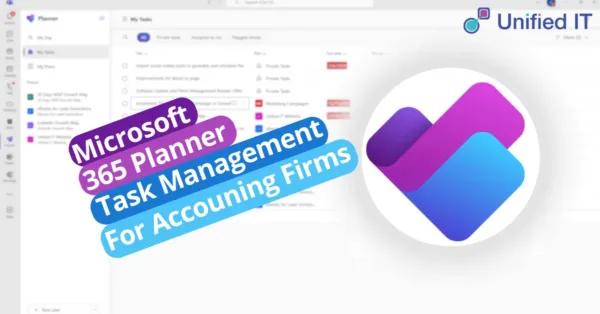
Microsoft Planner is perfect for Accounting Firms as it’s already helping many firms streamline operations, boost teamwork, and ensure data security with the benefits of Microsoft 365. With tools like Outlook, Excel, and SharePoint, these solutions have become essential for most teams. However, one of the most valuable yet underutilised tools in Microsoft 365 is Microsoft Planner.
Why Microsoft Planner is Essential for Accounting Firms
Microsoft Planner is a powerful tool that offers an easy way to manage tasks and projects efficiently. Here’s why it should be integrated into your accounting firm’s daily operations:
- User-Friendly Interface: With its clean and intuitive design, Microsoft Planner requires little to no training, ensuring everyone on your team can adopt it quickly.
- Seamless Integration with Microsoft 365: Planner integrates smoothly with Outlook, Teams, and OneNote, keeping all your tools connected and workflows optimised.
- Real-Time Collaboration: Planner keeps your team connected whether they are working remotely or in the office, ensuring everyone stays aligned and up-to-date.
How Accounting Firms Can Utilise Microsoft Planner
- Manage Client Deliverables Efficiently Managing client projects can be overwhelming during peak seasons like tax time. Planner simplifies this by:
- Breaking down large projects into smaller, manageable tasks.
- Assigning roles to team members with deadlines to ensure timely progress.
- Automating recurring tasks such as financial reports and audits.
- Enhance Team Collaboration Collaboration is key in accounting. With Planner, your team can:
- Clearly assign and track responsibilities for each task.
- Use Microsoft Teams to communicate seamlessly and resolve queries instantly.
- Receive automatic notifications to stay informed and ensure nothing falls through the cracks.
- Streamline Internal Operations Planner is also a great tool for improving internal workflows within your firm, such as:
- Client Onboarding: Create workflows for document collection, contract signing, and account setup.
- Employee Training: Track schedules for certifications and compliance updates.
- Marketing Campaigns: Organise newsletters, webinars, and promotions to stay on track with your marketing efforts.
- Stay Ahead of Deadlines Deadlines are critical in the accounting industry, and Planner helps you:
- Use visual Kanban boards to easily monitor the progress of tasks and projects.
- Identify potential bottlenecks early, making it easier to adjust workloads before deadlines.
- Stay on top of crucial dates like tax filings and audit submissions, ensuring timely delivery.
Getting Started with Microsoft Planner
Starting with Microsoft Planner is easy:
- Open Planner: Access it through the Microsoft 365 app launcher.
- Create a Plan: Set up a new board for each project or client.
- Organise Tasks: Categorise tasks into different buckets such as “To-Do,” “In Progress,” and “Completed.”
- Assign Roles: Add team members to tasks, set deadlines, and attach any relevant files or notes.
- Track Progress: Monitor tasks with the dashboard to ensure everything stays on track.
Why Choose Unified IT to Implement Microsoft Planner for Your Firm?
Microsoft Planner isn’t just another task manager—it’s a productivity tool, collaboration enabler, and workflow optimiser in one. If your accounting firm already uses Microsoft 365, it’s time to unlock the full potential of Planner. At Unified IT, we can help integrate Microsoft Planner into your operations and streamline your processes, empowering your team to hit deadlines and deliver results efficiently.
Contact us today to get started with Microsoft Planner and other Microsoft 365 tools that will transform your firm’s productivity.
Related Posts









The “Deepfake CEO” Scam: Why Voice Cloning Is the New Business Email Compromise (BEC)
The phone rings, and it’s your boss. The voice is unmistakable; with the same flow and tone you’ve come to expect. They’re asking for a favor: an urgent wire transfer to lock in a new [...]








Securing the ‘Third Place’ Office: Policy Guidelines for Employees Working from Coffee Shops and Coworking Spaces
The modern office extends far beyond traditional cubicles or open-plan spaces. Since the concept of remote work became popularized in the COVID and post-COVID era, employees now find themselves working from their homes, libraries, bustling [...]